
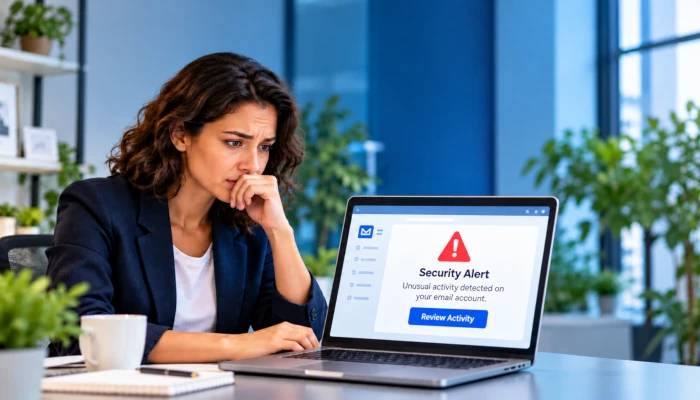
Email accounts are one of the most common targets for cybercriminals. Once an attacker gains access to your email, they may be able to reset passwords for other accounts, impersonate you, steal sensitive information, or send fraudulent messages to your customers, coworkers, and vendors.
If you believe your email account has been hacked, it is important to act quickly. The following steps can help you regain control of the account and limit the damage.
1. Change Your Password Immediately
If you can still sign in to your email account, change the password as soon as possible.
Choose a completely new password that you have never used before. A strong password should be long and difficult to guess. A password manager can help you create and securely store unique passwords.
If you used the same or a similar password on any other accounts, change those passwords as well.
If you cannot sign in because the attacker changed your password, use your email provider’s account recovery process to regain access.
2. Enable Multi-Factor Authentication
After changing your password, enable multi-factor authentication, sometimes called MFA or two-factor authentication.
MFA requires an additional form of verification when someone signs in, such as an authentication app, security key, or passkey.
This provides an important additional layer of protection because knowing your password alone may no longer be enough to access the account.
If MFA was already enabled before the account was compromised, review the authentication methods on the account. Remove any phone numbers, authentication devices, passkeys, or recovery methods you do not recognize.
3. Sign Out of Other Devices and Sessions
Changing your password does not always immediately disconnect an attacker from every active session.
Look in your email account’s security settings for options such as:
- Sign out of all devices
- Sign out of other sessions
- Manage devices
- Recent sign-in activity
Remove or sign out any device or session you do not recognize.
4. Check Your Recovery Information
Attackers will sometimes change account recovery settings so they can regain access later.
Verify that the recovery email address and phone number on the account belong to you.
Remove anything you do not recognize.
Also review any trusted devices, passkeys, app passwords, or third-party applications connected to your account.
5. Check for Email Forwarding Rules
This is one of the most important steps and one that is frequently overlooked.
An attacker may create a forwarding rule that silently sends copies of your incoming email to another address. This allows them to continue reading your email even after you change your password.
Check your email settings for:
- Automatic forwarding
- Inbox rules
- Filters
- Mail routing
- Delegates or mailbox access
Remove any rule, forwarding address, or delegate you did not create.
Some malicious rules are designed to hide certain messages, automatically delete security alerts, or move replies from customers into another folder.
6. Review Your Sent, Deleted, and Archived Messages
Look through your Sent, Trash, Deleted Items, Archive, and other folders.
Watch for messages you did not send, especially messages involving:
- Password resets
- Banking information
- Wire transfers
- Gift cards
- Changes to payment instructions
- Requests for confidential information
- Invoices
- Messages sent to customers or vendors
An attacker may also delete messages after sending them, so checking the Deleted Items or Trash folder is important.
7. Check Recent Sign-In Activity
Most major email providers allow you to review recent login activity.
Look for unfamiliar:
- Locations
- IP addresses
- Devices
- Browsers
- Applications
Keep in mind that location information is not always exact, especially when mobile networks, VPNs, or cloud services are involved.
However, a login from an unfamiliar country or device can be a strong indication that the account has been compromised.
8. Scan Your Computer for Malware
Sometimes an attacker obtains an email password through malware, a malicious browser extension, or an infected computer.
Make sure your computer is fully updated and run a security scan using reputable antivirus or endpoint security software.
You should also review your browser extensions and remove anything you do not recognize or no longer use.
If you suspect the computer itself may be compromised, consider changing your email password from another trusted device.
9. Change Passwords for Important Accounts
Your email account is often the key to many of your other online accounts because password-reset messages are normally sent by email.
Prioritize accounts involving:
- Banking
- Credit cards
- Accounting software
- Microsoft 365 or Google Workspace
- Cloud storage
- Social media
- Payroll
- Customer information
- Domain registration
- Website administration
Use a different password for every account.
10. Warn Your Contacts
If the attacker sent messages from your account, notify anyone who may have received them.
Tell them that your email account was compromised and that they should not click links, open attachments, send money, or provide information in response to suspicious messages from your account.
This is especially important if fraudulent invoices, payment instructions, or wire-transfer requests were sent.
11. Contact Your Bank If Financial Information Was Involved
If the attacker may have gained access to banking information, invoices, payment details, or financial correspondence, contact your financial institution immediately.
If fraudulent payments or wire transfers were made, time can be extremely important.
Businesses should also notify their accounting department and review recent requests to change customer or vendor payment information.
12. Contact Your IT Provider
For a business email account, the visible account may only be part of the problem.
An IT professional can review additional information that may not be available to the individual user, including:
- Sign-in logs
- Security alerts
- Mailbox forwarding
- Inbox rules
- Connected applications
- Administrative changes
- Authentication methods
- Other affected user accounts
Your IT provider can also help determine how the compromise happened and whether other systems or employees may have been affected.
Watch for Business Email Compromise
One of the most serious consequences of a hacked business email account is Business Email Compromise, commonly called BEC.
Instead of simply sending spam, attackers may quietly monitor email conversations for days or weeks.
They may wait until they see a discussion involving an invoice, payment, closing, payroll change, or wire transfer. The attacker then impersonates someone involved in the conversation and provides fraudulent payment instructions.
Any unexpected request to change banking or payment information should be verified through a separate method, such as calling the person using a phone number you already know to be correct.
Do not rely solely on replying to the email.
How to Prevent It From Happening Again
After securing the account, take a few additional steps to reduce the chance of another compromise.
Use unique passwords for every account, enable multi-factor authentication wherever possible, and be cautious about unexpected login pages sent through email.
Before entering your password, verify that you are actually on the legitimate website for your email provider.
Businesses should also consider security awareness training, email filtering, endpoint protection, and ongoing monitoring of their Microsoft 365 or Google Workspace environment.
Need Help Securing Your Email?
If you believe your business email account has been compromised, Breeze IT Services can help investigate the incident, secure the account, review suspicious activity, and identify additional steps that may be needed to protect your business.
We can also help strengthen your email security before an incident occurs with multi-factor authentication, security monitoring, employee training, and cybersecurity assessments.
Breeze IT Services — Next Level Security. Next Door Service.